Best Offline POS System for Selling Without an Internet Connection
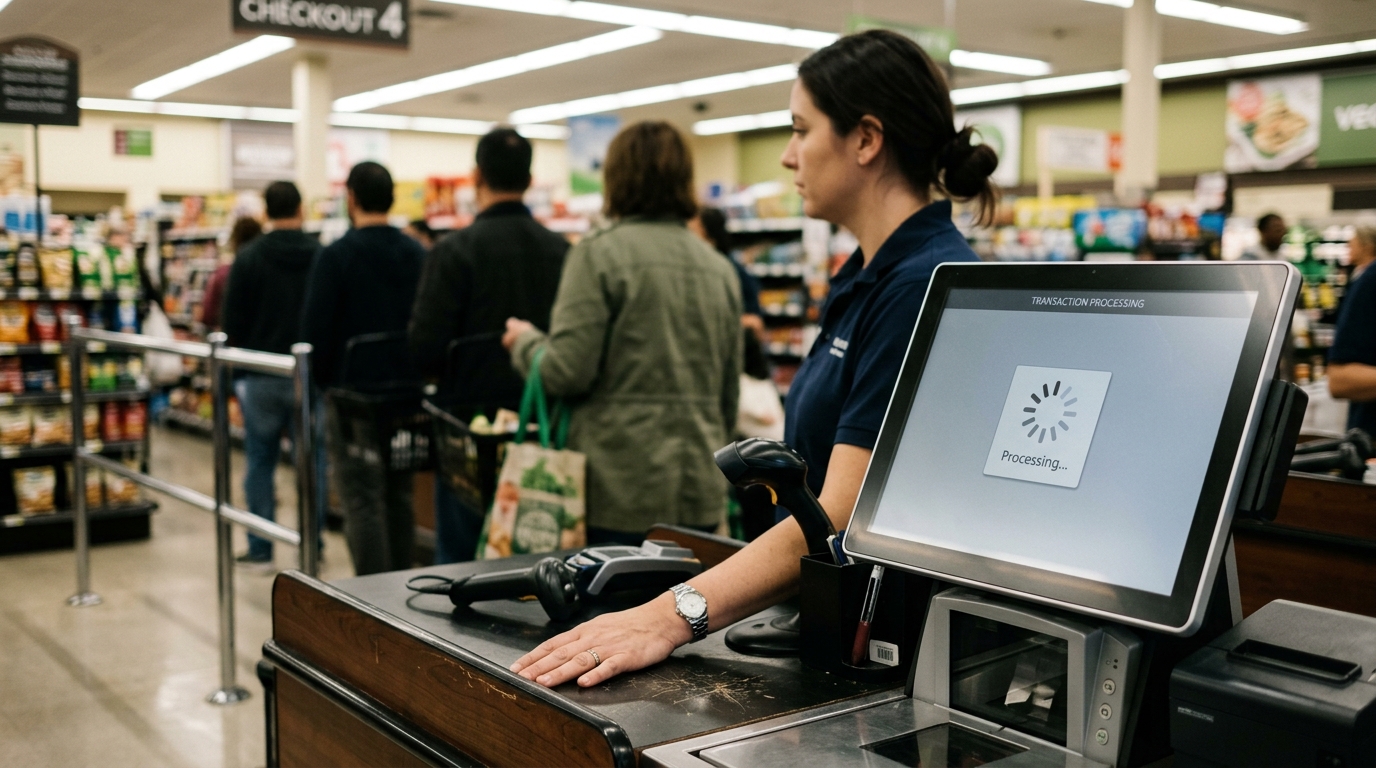
Your internet dropped at 12:47 on a Friday. By 1:15, your line was out the door, your staff was frozen at the register, and you were watching customers put their wallets away and walk out. Not because you ran out of product. Not because you were understaffed. Because your point-of-sale system required a live internet connection to complete a transaction, and when that connection died, so did your checkout.
This is not a rare edge case. It is a documented, recurring operational failure that hits small businesses in every vertical restaurant during lunch service, retail stores on weekends, healthcare front desks on Monday mornings. Internet outages do not schedule themselves around your slow hours. They arrive when the pressure is highest and the margin for friction is lowest.
The best offline POS system does not simply survive an outage. It makes an outage operationally invisible to your customers and your staff. That is the standard. Everything below it is a liability you are choosing to carry. Dataonems works with small businesses to build payment infrastructure that holds under real operating conditions including the ones nobody plans for.
Why Internet Dependency Is a Design Flaw, Not a Feature
The shift toward cloud-based POS software over the last decade delivered real benefits: centralized reporting, easier updates, multi-location visibility. But it introduced a structural dependency that most vendors buried in their documentation rather than disclosed upfront. Many cloud-based systems require a persistent internet connection to authorize transactions. When that connection breaks, the system does not degrade gracefully. It stops.
Vendors describe this as a limitation. It is more accurate to call it a design choice one made to simplify their architecture at the expense of your operational continuity.
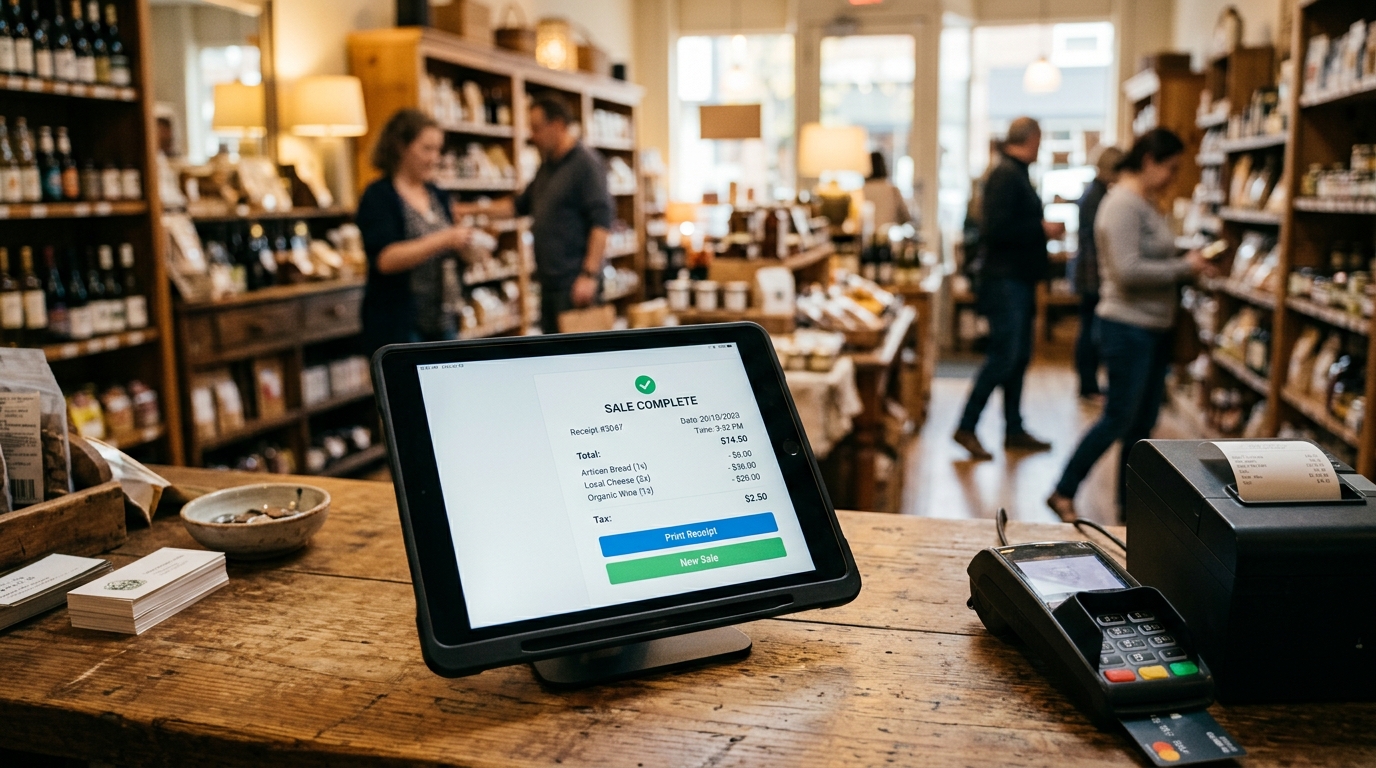
A genuine offline payment POS processes transactions locally when internet connectivity is unavailable. It stores the transaction data on-device with full encryption, queues it for sync, and completes the authorization the moment connectivity is restored. The customer experience is identical in both scenarios. The staff workflow is identical. The sale completes.
That is not a premium feature. That is the baseline requirement for any business that cannot afford to stop selling because a router rebooted.
What a No-Internet Checkout System Actually Requires
Not all offline modes are built the same. Some systems offer what their documentation calls offline capability but deliver something far more limited: a read-only mode that lets staff view the menu or product catalog but cannot process a new transaction. That is not an offline POS. That is a digital brochure with a payment terminal attached.
A functional no-internet checkout system requires three things operating simultaneously.
First, local transaction processing. The system processes the sale entirely on-device card read, amount calculation, receipt generation without any outbound call to a remote server. This requires the payment logic to run locally, not in the cloud.
Second, encrypted local storage. Every transaction processed during an outage is stored on-device with the same encryption standards applied to live transactions. PCI DSS compliance does not pause during an outage. Your system's security posture should not either.
Third, automatic sync on reconnection. When connectivity is restored, the system identifies queued transactions and completes authorization without staff intervention. No manual export. No re-entry. No reconciliation headache at the end of the shift.
Any system that cannot deliver all three is not an offline POS system. It is a cloud POS with a fallback message.
The Real Cost of Getting Backup POS Payments Wrong
Most small business owners do not calculate the revenue impact of checkout downtime because the incidents feel too short and too infrequent to quantify. That accounting error is expensive.
A restaurant with 80 lunch covers and an average ticket of $22 that loses 25 minutes of checkout capability due to a connectivity failure does not lose one transaction. It loses the transaction velocity for that entire window, tables that cannot turn, customers who leave, staff who are managing confusion instead of service. The hard dollar loss on a single incident can exceed $400. The soft loss, the customer who does not return, the review that mentions the chaos compounds over time.
Retailers face the same math. A boutique processing $1,800 in Saturday afternoon transactions that goes dark for 40 minutes does not just lose the sales in that window. It loses the conversion rate of every customer who encountered friction at checkout and made a mental note not to come back.
Healthcare practices carry different risks. A front desk that cannot process a copy at check-in creates an accounts receivable problem, a workflow disruption, and a patient experiencing failure in the same moment. The revenue is recoverable. The trust is harder to rebuild.
Backup POS paymentsare not a contingency plan for rare disasters. They are the operating standard for businesses where checkout continuity is non-negotiable which is every business.
How to Evaluate an Outage-Ready POS Before You Buy
The conversation with a POS vendor should not start with pricing. It should start with a single question: what happens to my checkout when my internet connection fails?
The answer tells you everything you need to know about whether the product was built for your operational reality or for a demo environment with a stable WiFi signal.
A vendor selling a genuinely outage-ready POS gives you a direct answer: transactions process locally, data is encrypted and queued, sync happens automatically on reconnect. They can describe the technical mechanism, the storage capacity, and the sync behavior in specific terms.
A vendor who pivots to phrases like our system is highly reliable or outages are very rare in most areas is telling you that their system does not have a functional offline mode and they would prefer not to discuss it.
Beyond the offline question, evaluate three additional specifications. Battery backup on hardware a system that requires wall power is a system that fails during the same infrastructure disruptions that knock out your internet. Multi-device support if one terminal fails, another should be able to pick up the transaction load without a gap in service. And offline transaction sync reporting after reconnection, you need a clear audit trail of what processed offline, when it synced, and whether any transactions require follow-up.
Offline Transaction Sync: Where Most Systems Fail the Final Test
A system can process transactions offline and still create a reconciliation nightmare if its sync logic is poorly designed. This is the failure mode that does not show up in the demo. It shows up in your books three days later.
Weak offline transaction sync manifests in predictable ways. Duplicate transaction entries when a sale processed offline is re-authorized after sync and logged as a new transaction. Timestamp errors that corrupt your sales reporting for the outage window. Failed syncs that require manual intervention to resolve, turning a 30-minute outage into a two-hour accounting problem.
A well-engineered sync system assigns a unique transaction ID at the moment of local processing. When connectivity is restored, the sync process checks that ID against the server record before completing authorization. If the transaction already exists because connectivity is briefly returned and re-dropped during processing the system recognizes the duplicate and resolves it automatically. No double charge. No manual review.
This matters more at volume. A single transaction with a sync error is an inconvenience. Fifty transactions processed during a two-hour outage with a sync error rate of 4% is a compliance and reconciliation event.
Ask your vendor specifically how their system handles transaction ID assignment, duplicate detection, and failed sync recovery. If they cannot answer in technical specifics, the system was not built for the operational conditions you are asking about.
The Verdict
Your POS system is not a software subscription you manage from a dashboard. It is the infrastructure your revenue moves through every day. When it fails and without offline capability, it will fail, on a timeline determined by your ISP, not by you the cost is not theoretical. It is visible in your transaction log, your table turn rate, your end-of-day report, and the face of the customer who walked out because your checkout could not keep up.
The best offline POS system is not the one with the most features or the lowest monthly fee. It is the one that treats connectivity as a variable your business should never be exposed to. Local processing. Encrypted storage. Automatic sync. Those are not differentiators. They are requirements.
Build your checkout infrastructure to that standard. Everything else is a risk you are choosing to accept.Book your free operations audit →
Tables
These unsightly stains
Noticing brown spots on your ceiling
How Infectious Diseases Affect the Brain
Laudantium totam
Was sollte alles in einem stehen?
Accusantium doloremque
Using sound to model the world
Nemo enim ipsam
Common Skin Care Myths
Eritatis et quasi
Cards
Card Style One
Lorem ipsum dolor sit amet, consectetur adipiscing elit. Suspendisse varius enim in eros elementum tristique. Duis cursus, mi quis viverra ornare, eros dolor interdum nulla, ut commodo diam libero vitae erat. Aenean faucibus nibh et justo cursus id rutrum lorem imperdiet. Nunc ut sem vitae risus tristique posuere.
Card Style Two
It has survived not only five centuries, but also the leap into electronic typesetting, remaining essentially unchanged.
An offline POS system processes payment transactions locally on the device without requiring an active internet connection. It stores transaction data with full encryption, then syncs to the central server automatically when connectivity is restored. A genuine offline POS completes the full checkout flow including card reads and receipts with no degradation in the customer experience.
Can a POS system accept credit cards without the internet?
Yes, with limitations. Some POS systems support offline card reads that capture card data locally and complete authorization after reconnecting. The risk is that authorizations are not confirmed in real time, which introduces some exposure to declined cards. Most systems set a transaction floor limit for offline card acceptance typically between $25 and $100 to manage that risk. Transactions below the floor process offline; above it, the system prompts for a different payment method.
How long can a POS system work without the internet?
This depends entirely on the system's design. Some systems support offline operation indefinitely; they process and queue transactions until sync is possible regardless of how long the outage lasts. Others have a hard time limit, typically 24 to 72 hours, after which they require reconnection to continue processing. Verify the specific limit with your vendor before committing to a system.
What is offline transaction sync?
Offline transaction sync is the process by which a POS system transmits locally stored transaction data to the central server after internet connectivity is restored. A well-designed sync system assigns unique transaction IDs at the moment of local processing, checks for duplicates during sync, and completes card authorization without manual intervention. Poor sync design creates duplicate charges, timestamp errors, and reconciliation failures.
Is an offline POS system PCI compliant?
Compliance is determined by the system's encryption and data handling standards, not by whether it operates offline. A properly designed offline POS encrypts all locally stored transaction data to PCI DSS standards and never stores full card numbers on-device. Verifying your vendor's PCI compliance documentation explicitly for offline operation mode compliance during live transactions does not automatically mean compliance applies to offline storage.
Brooklyn Simmons
Blocks/Grid
Fusce at sapien turpis. Aliquam at purus posuere, mattis sapien nec, dignissim ipsum. Cras ac auctor eros, sagittis euismod ante. Nunc non luctus orci. Vivamus ultrices cursus nisi sed vehicula.
Proin dapibus, sapien a suscipit sodales, justo velit placerat quam, sit amet efficitur nunc est congue quam. Phasellus varius congue tellus, non dictum ligula consectetur eu. Nam lobortis varius eros. Nulla diam augue, suscipit id pellentesque in, tristique id sapien. Vestibulum congue lorem ac turpis pulvinar ultricies.
Mauris tristique, urna hendrerit ornare viverra, diam nibh vestibulum nulla, sit amet porttitor massa magna at elit. Curabitur nec diam ac nulla interdum ultrices vel non nisi. Nunc ut vehicula mauris. Ut facilisis cursus hendrerit. Suspendisse facilisis auctor nibh sit amet tempus. Sed scelerisque sit amet lectus tristique varius.
Lorem ipsum dolor sit amet, consectetur adipiscing elit. Suspendisse varius enim in eros elementum tristique. Duis cursus, mi quis viverra ornare, eros dolor interdum nulla, ut commodo diam libero vitae erat. Aenean faucibus nibh et justo cursus id rutrum lorem imperdiet. Nunc ut sem vitae risus tristique posuere.
When your internet goes down, your sales shouldn't. Here's what the best offline POS system actually requires and why most small businesses are choosing wrong.
Courtney Henry
May 6, 2026
There are many variations of passages of Lorem Ipsum available, but the majority have suffered alteration in some form,
Oops! Something went wrong while submitting the form.
Guest
6 hours ago
Lorem ipsum dolor sit amet, consectetur adipiscing elit. Suspendisse varius enim in eros elementum tristique. Duis cursus, mi quis viverra ornare, eros dolor interdum nulla, ut commodo diam libero vitae erat. Aenean faucibus nibh et justo cursus id rutrum lorem imperdiet. Nunc ut sem vitae risus tristique posuere.
Oops! Something went wrong while submitting the form.
Guest
•
6 hours ago
Lorem ipsum dolor sit amet, consectetur adipiscing elit. Suspendisse varius enim in eros elementum tristique. Duis cursus, mi quis viverra ornare, eros dolor interdum nulla, ut commodo diam libero vitae erat. Aenean faucibus nibh et justo cursus id rutrum lorem imperdiet. Nunc ut sem vitae risus tristique posuere.
Ready to Build the Right Payment System for Your Business?
Speak with a Data One payments specialist to design a solution aligned with how your business operates — from payments and POS to software and growth tools.




.svg)